
How to fix the 3–10s close delay and resolve the COPIERS (Offline) status in Copiix.
Copiix is a free copy-trading tool built for manual-to-prop firm sync (like FTMO) and multi-bot setups. If you’re new, check out the guide below first:
[Copiix Setup Guide & Basics (Link)]
Even when all terminals appear fine in the Copiix console window, you might encounter an issue where orders execute instantly upon entry, yet closing positions suffers a severe delay of 3 to 10 seconds.
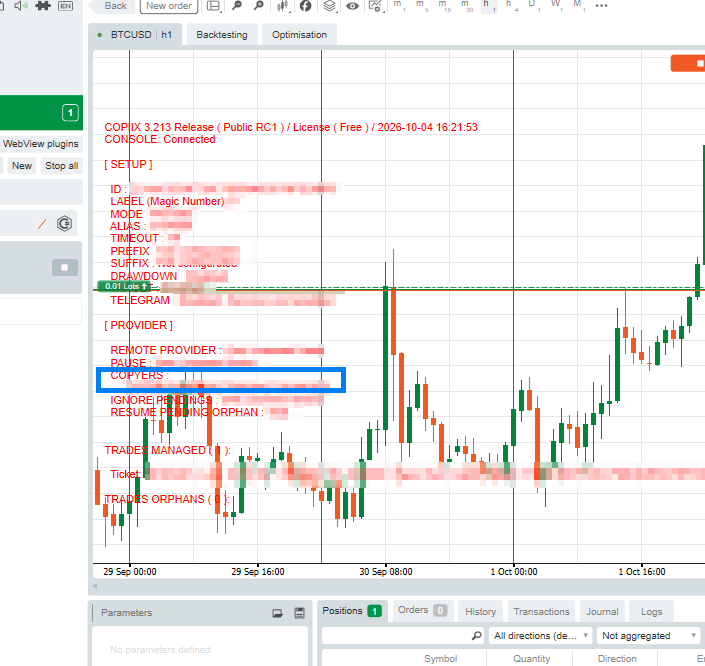
In this case, check the real-time monitoring info (red text) at the top of your chart.
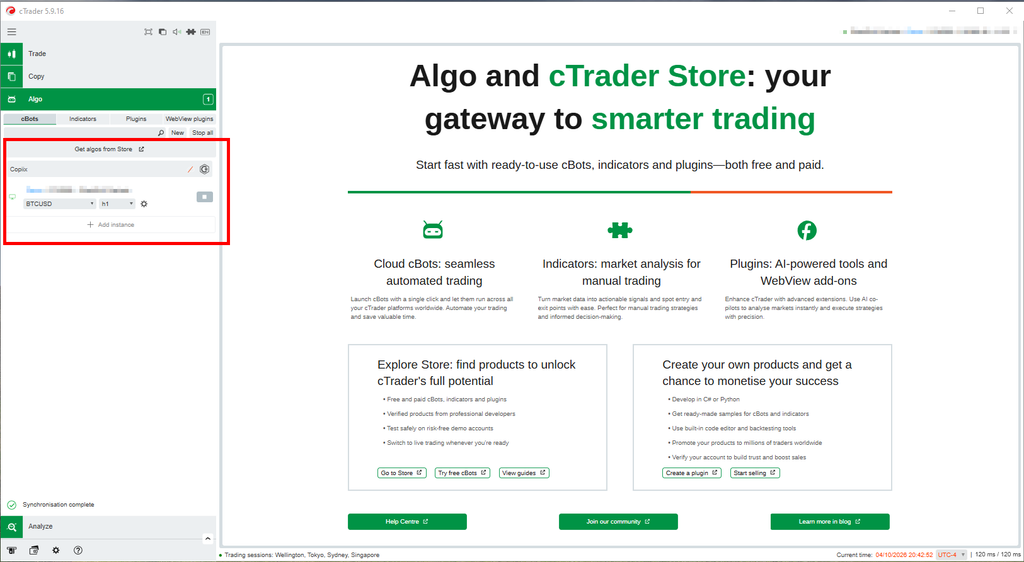
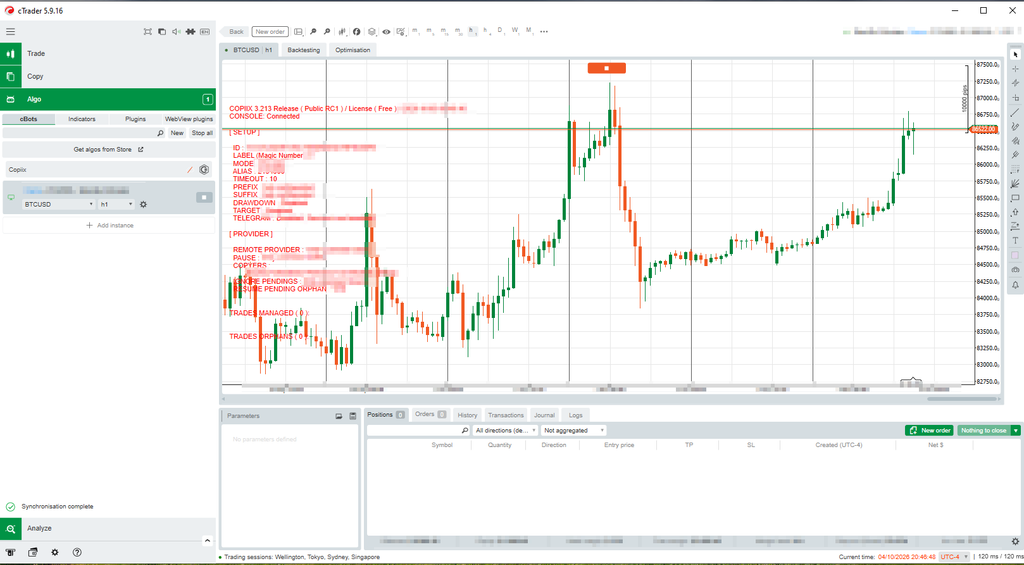
1. Diagnosis: Is COPIERS Status Showing ‘Offline’?
When you bring up the monitoring info window, you might notice that COPIERS (the slave terminal receiving copy signals) is marked as (Offline), as highlighted in the blue box below.
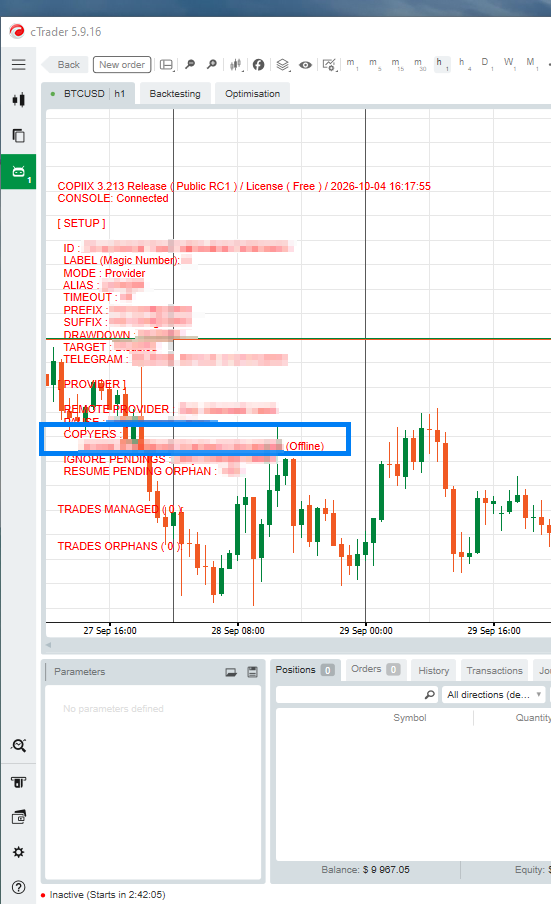
When the slave terminal is caught in this offline state, it causes an odd glitch: entry orders fire with zero delay, but closing orders become painfully slow.
2. Why Does Entry Work Instantly While Close Delays?
The reason comes down to the underlying communication difference between order entry and position close:
- Entry Orders: One-Way Transmission (Fire-and-Forget)
- When the master enters a position, it broadcasts the order packet to the local port immediately without validating the receiver’s state.
- Because the slave cBot is active, it catches the packet and executes the market order right away. Thus, you notice zero latency on entry.
- Close Orders: Two-Way State Validation (Handshake Required)
- In contrast, closing a position requires a two-way heartbeat ping to verify: “Am I properly connected to the master? Is this close signal authentic?”
- However, because the master sees the slave as
(Offline), the slave cannot return an acknowledgment (ACK) saying “I’m alive.” - As a result, the internal timer waits on the TIMEOUT: 10 threshold shown on the screen, causing the close order to stall for 3 to 10 seconds before finally closing.
3. Three Key Ways to Clear the (Offline) State
This typically happens when running both sides on the same PC and response packets are lost due to local socket permissions or desynced sessions. Go through these three checks in order:
① Start the Slave First ➔ Then Start the Master cBot (★ Most Common Cause)
The startup sequence may have gotten mixed up, causing the master to miss the slave’s initial connection packet.
- Stop (■) the master cBot.
- Ensure the slave cBot (e.g., FTMO) is running normally, then Start (▶) the master cBot again.
- Once the handshake completes, the red status text will switch to
(Online)or(Connected).
② Restart the Copiix Console Application
Even if the console shows CONSOLE: Connected, the slave’s unique session ID may have disconnected from the relay console, keeping it stuck in offline mode.
- Completely close the Copiix console application running in the background and relaunch it to verify both accounts show up as online.
③ Check Windows Firewall Inbound Rules
If Windows Firewall blocks inbound responses during local socket communication between cTrader instances, signals will go out but the status will remain offline.
- Open
Control Panel > Windows Defender Firewall > Allow an app or feature through Windows Defender Firewall. - Make sure both cTrader instances (BlackBull, FTMO, etc.) have both Private and Public checkboxes ticked.
Once you follow these steps and the (Offline) label disappears, closing positions will execute with sub-second speed just like entries do.
Pro Tip (From Personal Experience)
If everything was working fine and close orders suddenly start lagging one day, in my personal experience, it is almost always because the cBot startup order got mixed up. When booting up your setup, make it a strict habit to always follow the sequence: [Verify Slave Running ➔ Start Master].